Cart
Cart
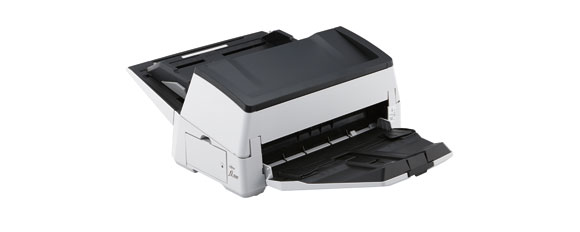
Ricoh (Fujitsu) fi-7600 80ppm Color Duplex 12x220"

_Small.png)
Specifications
- Flatbed
- No
- ADF size
- 300
- Color
- Yes
- Paper size
- 12x220
- VRS
- No
- Resolution
- 600x600
- Multi-feed
- Yes
- Daily scans
- 4400
- TWAIN driver
- Yes
- U.S. warranty
- 3 Months
- ISIS driver
- Yes
- Auto-crop
- Yes
- Imprinter
- Yes
- PC
- Yes
- Mac
- No
- Interface
- USB 3.0 AND USB 2.0
- Part number
- PA03740-B505
Ricoh (Fujitsu) fi-7600 80ppm Color Duplex 12x220"
1 refurbished units available for $1920. Click here for details
Overview
Heavy-duty & flexible production scanner
for professional use
The fi-7600 allows you to scan A4 landscape
documents at 100 ppm/200 ipm (200/300 dpi). The scanner is suitable for
continuous scanning because it allows you to load up to 300 sheets at a time
which improves efficiency when scanning a large volume of documents. In
addition, various types of documents, such as thin paper, plastic cards
envelopes, and long page documents can be scanned on this scanner.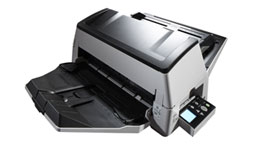
- Fast scanning — up to 100 ppm in color or monochrome, landscape
- Paper chute capacity up to 300 sheets
- Capable of handling various thicknesses and sizes
- Paper Protect function which protects against paper jams by detecting anomalies in sound (iSOP: Intelligent Sonic Paper Protection) and document length
- LCD panel for easy operation
- Independent Side Guides for easily aligning mixed size documents
- Comes with PaperStream IP (TWAIN/ISIS) and PaperStream Capture
Features
Improved feeding for large volumes of
mixed batches
Mechanism for stable paper feeding and ejecting that
prevents document damage and paper mis-feeds
- Scan various types of business documents with a
single scanner
The straight paper path design provides reliable scanning regardless of the condition and type of paper.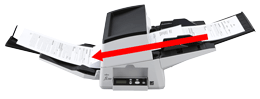
The Paper Picking Control function observes each document’s movement, and controls the pressure put on the papers that are set on the chute, making smooth continuous feeding possible.
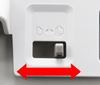
By simply changing the feed mode to Manual/Single mode, you can easily scan thick documents such as drawings folded in half, multi-layered receipts, and envelopes with the same straight paper path operation.
- Protect important information by preventing
missing edges and document damage
Skew Reducer helps improve the feeding performance significantly and prevents a scanned image from missing an edge.
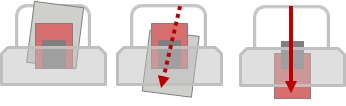
Paper Protection function minimizes the risk of document damage and protects your important documents by detecting anomalies in sound and document length.
Design that meets the user's needs
The fi-7600 helps improve the efficiency of operations by providing a
variety of functions that make scanning easier for the user.
- Fully utilize allocated space with its flexible
design
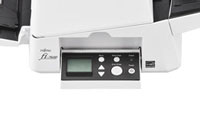
The fi-7600 is equipped with operation panels on both the right and left sides of the scanner so that it can be easily accessed in any office or workspace environment. An LCD on the operation panel allows the status of the scanner to be easily verified.
- Reduce the workload before and after scanning from
setting to collecting documents
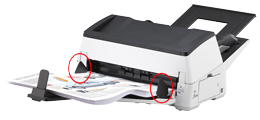
When setting documents, you can easily align the edges of the documents with independent Side Guides even if the size of each document varies.
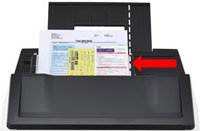
Stacker Side Guides reduce the time and effort required for aligning and putting away documents after a scan by preventing scanned documents from being unevenly stacked or aligned.
Advanced software for your work effciency
Connect your business workflow with PaperStream IP and PaperStream Capture.
The PaperStream IP scanner driver, which supports TWAIN/ISIS, avoids the
inconvenience of fine settings adjustment for OCR processes. It automatically
converts the images into exceptionally clean images, accelerating OCR even when
scanning wrinkled or soiled documents, or documents with a background pattern.
With an intuitive interface, PaperStream Capture effectively and efficiently
allows you to feed information into your organization's workflow through various
capture features during batch scanning.