
 Cart
Cart
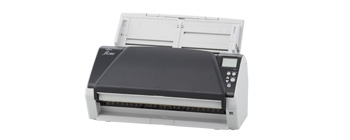
Refurbished fi-7460 60ppm Color Duplex 12x220"
PLEASE NOTE: Bundled software like Adobe Acrobat and Kofax Virtual ReScan are not included with Refurbished scanners.
Overview
Designed for professional workloads and engineered
to last, offering efficient, wide-format scanning in a compact size
- Wide range feeding ability including regular A8 to A3 sizes, as well as folded A2 documents and plastic cards
- Superior paper control with adjustable-speed rollers and automatic stacker
- Data and paper protection with Intelligent Multi-feed Function and Intelligent Sonic Paper Protection
- Fast paper handling with 60ppm/120 ipm, 100-sheets Automatic Document Feeder (ADF) and immediate power-up
- Energy efficient LED light-source
- USB 3.0 Connectivity
- Enhanced with advanced image processing and capture applications in PaperStream IP (TWAIN/ISIS), PaperStream Capture and Scanner Central Admin
Features
Wide variety of media captured by most
compact scanner
The fi-7460 is ideal for office use as the
smallest A3-capable scanner of its class (In terms of footprint
of A3-capable ADF type image scanner with scanning speed of 40 ppm or more in A4
landscape). Its wide range feeding ability includes regular A8 to A3
sizes, as well as folded A2 documents and plastic cards. By handling both thick
and thin documents, the scanner requires no burdensome pre-sorting with mixed
batch scanning.
Fast scanning with fast start-up
fi-7460 scans at the high-speed of 60 ppm / 120 ipm (A4, landscape, Color, 200 /
300 dpi). It can also recover from power-saving mode (sleep mode) in a second or
less, enabling users to scan immediately and continue work seamlessly without
pauses or interruptions.
Scan Versatility
Supports a wide variety of media with new Manual Feed Mode, which enables users
to scan envelopes, folded documents, bound pamphlets, and other thick (27~413
g/m2) items like plastic cards to capture documents safely and avoid multi-feeds
and paper jams.
Reliable, uninterrupted volume scanning
The fi-7460 can efficiently scan a large amount of documents. The ADF
paper chute (feeder) can accommodate 100 sheets (A4 sheet, landscape, 80 g/m2)
and additional papers can be added while scanning. It also includes several
functions to ensure reliable scanning such as:
- Automatic Stacker to boost work efficiency
Adjustable-speed rollers control the paper output, so that documents are neatly stacked, a function first in its class (In terms of straight-path feeding mechanism scanners). Organized paper output increases work efficiency by eliminating time spent realigning messy stacks. - Highly reliable paper feeding mechanism
Adopted functions such as the Brake Roller, which separates each document, and the Skew Reducer, which assists in feeding mixed batches, are highly reliable and enable easy digitization. Additionally, each Hopper Side Guide moves independently, so you can easily adjust them to the document width for efficient scanning in mixed batches. - Functions that minimize paper feeding errors
Even if documents are creased, wrinkled or stapled, Intelligent Multi-feed Function and iSOP (Intelligent Sonic Paper Protection) technology protects both the physical documents and the scanner hardware from potential damage. This helps improve and maintain work efficiency.
Connect your business workflow with
PaperStream IP and PaperStream Capture
The PaperStream IP scanner driver, which supports
TWAIN/ISIS, avoids the inconvenience of fine adjustments to the settings for OCR
processes. It automatically converts the images into exceptionally clean images,
accelerating OCR even when scanning wrinkled or soiled documents, or documents
with a background pattern. With an intuitive interface, PaperStream Capture
effectively and efficiently allows you to feed information into your
organization's workflow through various capture features during batch scanning.
- PaperStream IP (32/64 Bit)
The PaperStream IP driver takes the work out of image cleanup when scanning invoices, ID cards, receipts, forms, or any other day to day paperwork. PaperStream IP automatically improves the image quality, removes unwanted backgrounds, and optimizes your scanned images for optical character recognition. It is fast and easy to use. Our latest innovation, Assisted Scan, allows users to replace poor images by visually selecting the image they lack rather than learning driver settings. If driver settings need to be adjusted for rare and difficult documents, our preview function allows scan operators to see their adjustments in real-time without time consuming re-scans. PaperStream IP works with both ISIS and TWAIN applications. - PaperStream Capture
PaperStream Capture makes advanced capture with Fujitsu scanners easier than before. PaperStream Capture has a streamlined User Interface to reduce training time and increase productivity. Not only have we provided users with the most common profiles used by customers—black and white, color, and auto-color—new profiles are easily created or modified through a wizard. We have organized the release screen so that batches can easily be suspended or continued. PaperStream Capture is also integrated with PaperStream IP’s assisted scanning for visual cleanup of documents. The reading of barcodes and patch codes make batch separation easy, improving document organization.