Scanning documents to a database
Scanning to a database means each scanned document arrives with its data already filed: an invoice number, customer, date or account in database fields, and the document itself linked or stored alongside it. It works in two directions, and most systems use both.
Two ways a scanner works with a database
- Writing data in. Barcodes and OCR read values from each page, and the software writes them into your database along with the file's location.
- Looking data up. The software reads one value, such as an account number, and fills in the rest from your database, such as the customer name and address, so the document is indexed completely from one field.
SimpleIndex
SimpleIndex scans, reads barcodes and zone OCR, and connects to databases through ODBC, including SQL Server, MySQL, Oracle and Access. Lookups are included in every edition. See editions and pricing, or try it free on your own documents.
Any scanner with a TWAIN driver works with SimpleIndex; for steady volumes, a sheet-fed document scanner with a feeder is best. See also data entry automation.
|
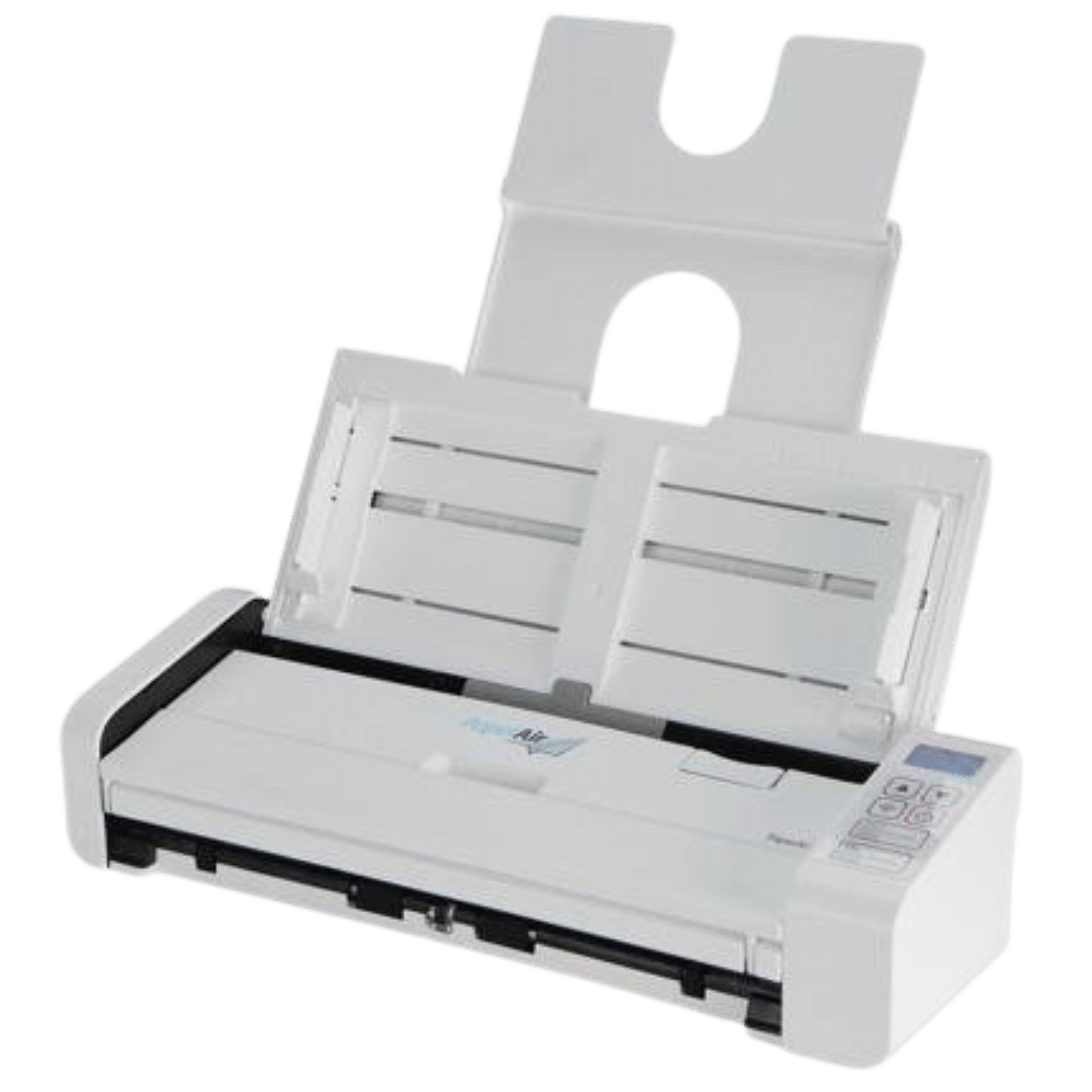
PaperAir Manager Software For the broader consumer who may not necessarily have any knowledge about scanner, Avision introduced the easy-to-use PaperAir Manager software without a TWAIN driver. Simply install and press the Scan button, the scan is completed with the predefined scan settings. Using PaperAir you gain perhaps the easiest scanning experience that allows you to scan multiple pages no matter the size and color of your document. Searching Document has never been easierPaperAir Manager comes with a powerful search engine. With this engine, all documents can be scanned and all the image text can be recognized and saved into a database through the text recognition process. Simply type your keyword, your document more…
Product Details
Easy-To-Use PaperAir Manager Software
For the broader consumer who may not necessarily have any knowledge about scanner, Avision introduced the easy-to-use PaperAir Manager software without a TWAIN driver. Simply install and press the Scan button, the scan is completed with the predefined scan settings. Using PaperAir you gain perhaps the easiest scanning experience that allows you to scan multiple pages no matter the size and color of your document.
Searching Document has never been easier
PaperAir
more…
how documents are managed
+ One button scanning to searchable PDF
+ Scan directly to Microsoft® applications
+ 20% faster scanning speed
+ Business card scanning
+ Color Duplex 18 pages per minute
Features
Scan 18 double-sided pages per minute
In one step, the ScanSnap ™ S500 digitizes both sides of a document in a single pass, in color, and at an amazing speed of up to 18 pages per minute.
Advanced features for the ultimate ease of use!
With a touch of the button the ScanSnap enhances the user experience with a host of automatic features, including:
+ Auto paper size detection
Scan more…
documents
Business card scanning
Color Duplex 18 pages per minute
Adobe® Acrobat® 8.0 Standard
Features:
Scan up to 18 Double-Sided Pages Per Minute
The ScanSnap S510 scanner digitizes both
sides of a document in a single passand at an amazing speed of up to 18
pages per minute—even in color.
Advanced Features Make Document Management
Simple
With a touch of the button, the ScanSnap S510
scanner simplifies document managment with a host of automatic features,
including:
Auto paper size detection
Scan mixed batches of documents
containing paper ranging in size from business cards to legal sized
more…
with LDAP support
Scan-to-Folder with SMB/FTP capability
Scan-to-Print via USB and Network
TWAIN via USB and Network
Features:
Ready to boost your workgroup and departmental
productivity, the TWAIN compliant Ricoh IS200e Image Scanner supports fast
full-color and black & white scan speeds, extensive “Scan-to” capabilities and
advanced security. Whether configured as a desktop scanner or printer based MFP
upgrade, the ergonomically designed Ricoh IS200e Image Scanner is an
indispensable tool for rapid conversion of your mission-critical documents into
shared electronic data
The IS200e offers a 50-sheet ARDF (Automatic
Reversing Document Feeder) for one or two-sided scanning of multi-page
more…
42-bit color Visioneer 9650 USB scanner
offers three key capabilities essential to effective office productivity
scanning: high speed 12 page per minute throughput, a reliable automatic
document feeder and a low purchase price.
Features:
Scan 12 letter size pages per minute in 200 dpi
black and white mode for document archiving. Low price and small footprint allow
deployment at the desktop level where archiving solutions are most needed. The
TWAIN driver provides flexibility for integrating the Visioneer 9650 with
existing document management systems.
Just install the software, plug the Visioneer
9650 into your computer's USB port and you are ready to scan! There is no need
to open the
more…
pages per minute and 66 images per minute
in duplex
Integrated card scanner - handles embossed
insurance and ID cards
One Touch feature eliminates up to 12 steps
in scanning documents
Superior image quality and OCR accuracy with
Kofax VRS software
Convert documents into PDF files that can be
scanned to network drives for sharing
Hi-Speed USB 2.0 interface (USB 1.1
compatible)
Small footprint fits easily on the desktop
(6" x 13")
One Touch scans directly to searchable PDF
Features:
here's a lot to like about the DocuMate 272 – the
faster, better, easier-to-use workgroup scanner solution for vertical markets
more…
your documents wherever you are-in the office, in the field or on the road-with Avision’s mobile scanner.
All you need is a USB cable for connection to your laptop to get power and transfer data. No need to carry a heavy power adapter and hunt for an electric outlet anymore!
Measuring only 11.4" x 3" x 2" and weighing a mere 1.4 pounds, the Avision’s mobile scanner is certainly light and small enough to carry with you to customer meetings, on airplanes or almost anywhere you need to go.
In addition, this mobile scanner is a duplex scanner which allows you to scan double-sided document up to A4 or letter size at the same time. With its straight paper path, you are able to scan embossed plastic cards at a rated speed.
What is
more…
|
|
This page was designed to help you find Scanner Database
quickly and easily. Click Here to
find Scanner Database.
On-site support across East Tennessee
Online support available everywhere
From our office in Knoxville, TN we provide on-site installation, training and demos across East Tennessee, including Knoxville, Oak Ridge, Maryville and Alcoa, Chattanooga and the Tri-Cities. Everywhere else, including Nashville, our online setup, training and support make on-site visits unnecessary for most projects.
Current Category:
Document Scanners Other Items in This Category:
best document scanner, business document scanner, business scanner, business scanners, buy scanners, buy scanners online, Compare Scanner, desktop document scanner, digital document scanner, Document Equipment Scanning, document feed scanner, document image scanner, Document Imaging Scanner, document scanner, document scanner comparison, document scanner digital imaging, document scanner ocr, document scanner pdf, document scanner reviews, documents scanners, find scanners, image scanner, Image Scanner, Information on Scanners, large document scanner, mac document scanner, mid volume scanner, mid-range scanner, network document scanner, order scanners online, production scanner, Professional Scanner, scanner documents, scanner online order, scanner online store, scanner sales, scanner search, scanner specials, Scanning Resolution (DPI)
Subcategories:
ADF Scanners, Automatic Document Feeder, Avision Scanners, Bell & Howell Scanners, Bell & Howell SideKick Scanners, Bell & Howell Spectrum Scanners, Bell & Howell Truper Scanners, Canon Scanners, Color Scanners, Duplex Scanners, Epson Scanners, Flatbed Document Scanner, 11x17 Flatbed Scanners, Fujitsu Scanners, Fujitsu ScanSnap Scanners, High Speed Scanners, Kodak Scanners, Panasonic Scanners, Plustek Scanners, Portable Document Scanners, Ricoh Scanners, Sheetfed Scanners, Visioneer Scanners, Xerox Scanners,
Pages related to Scanner Database:
Document Scanners - scanner database, Batch Scanning - image to database, scan to database
Meta Enterprises, LLC - Knoxville, TN
Scanner Database at ScanStore.com
Freeware OCR Software and Royalty Free OCR SDK
Document Scanning, OCR and Barcode Recognition Software
Mortgage Document Scanning and OCR
Find Pipettors and Pipette Tips
|

 Cart
Cart


 All FAQ Topics